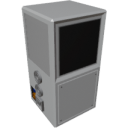
| Component | Crafter |
|---|---|
| Module | ARCHEAN_machines |
| Mass | 200 kg |
| Size | 100 x 100 x 200 cm |
| Push/Pull Fluid | Accept Push, Initiate Pull |
| Push/Pull Item | Initiate Push/Pull |
Description
The Crafter is a component that allows for the rapid crafting of items.
Usage
The Crafter requires high voltage power and consumes 500 watts when idle and 10kw when operational.
It can be manually controlled through its integrated touch screen and/or through its data port for more advanced control.
List of Inputs
| Channel | Function | Value |
|---|---|---|
| 0 | Continuous Crafting OR Container data | 0 or 1 OR key-value from Container |
| 1 | Override Craft Selection | text |
| 2 | Container output for auto-craft | key-value from Container |
List of Outputs
| Channel | Function | Value |
|---|---|---|
| 0 | Progress | -1 or 0 to 1 |
| 1 | Craft Selection | text |
| 2 | Fluid Levels | text |
Informations:
- When
progressin the output data is-1, it means that the recipe cannot be performed either due to missing resources or the requested craft does not exist in the game.- The Crafter displays a "Not enough power" alert if crafting fails due to insufficient power.
- Even though the Crafter only has two fluid ports, it can use as much fluid as needed for recipes by using Fluid Junctions, which can be connected to all necessary fluid sources. The Crafter will simply use them when needed.
Fluid Levelsis a key-value object containing values between 0 and 1 forh2,o2andh2oHints:
- You can simply use a Toggle Button to start continuous crafting as long as the button is active and there are enough resources in the connected inventory.
Go further with the crafter:
Simple Auto-Crafting Setup
The Crafter natively supports an auto-crafting behavior when properly configured.
To enable it, simply:
- Connect the Crafter's item input and item output ports to the same container.
- Connect the data port of that same container directly to the Crafter's data port (channel 0).
This setup allows the Crafter to automatically handle complex recipes with sub-crafts by picking ingredients directly from the container.
As long as the container contains all required raw materials, the Crafter will:
- Automatically craft missing sub-components.
- Then assemble the final product.
This is the simplest way to achieve an auto-crafting system without writing any custom code.
- In this configuration, since the data port is already connected to the container, you won't be able to use a Toggle Button to enable continuous crafting. Instead, you will have to use its built-in screen to start crafts, one by one.
- If you want to implement true continuous crafting in this setup, you will need to use a more advanced approach using XenonCode to control the Crafter.
Continuous Auto-Crafting from a Computer
You can control continuous auto-crafting entirely from a Computer by using channel 2:
- Channel 0: Set to
1to enable continuous crafting - Channel 1: Set the recipe name to craft
- Channel 2: Connect the Container's data output to enable auto-craft with recursive sub-crafts
This allows full programmatic control over the Crafter while still benefiting from the automatic recursive crafting logic.
Advanced Auto-Crafting with XenonCode
For more advanced auto-crafting systems, or to have complete control over the crafting process, you can use XenonCode.
The Crafter provides five XenonCode functions to retrieve information about available recipes:
get_recipes_categories("crafter"): Returns the list of available recipe categories in the Crafter.get_recipes("crafter", "PARTS"): Returns the list of available recipes in thePARTScategory.get_recipe("crafter", "Circuit"): Returns the list of ingredients required for theCircuitrecipe.get_recipe_label("ARCHEAN_parts.Circuit"): Returns the human-readable display name (e.g."Circuit").get_item_value_unit("ARCHEAN_celestial.Titanium", 100000): Returns the quantity formatted with its unit (e.g."100kg"for ores, a plain count for parts).
Built-in Program
The Crafter's built-in program — the one automatically used in the Simple Auto-Crafting Setup — already implements a fully functional auto-crafting logic using these functions. You can use it as inspiration or build your own custom program to fit more advanced or specific needs.
var $cursor = 0
var $currentCraft:text
var $categories:text

var $container:text
array $autocraftList:text
array $autocraftQty:number

var $upX : number
var $upY : number
var $downX : number
var $downY : number
var $initTime : number
var $error : number
var $popup = 1
var $continuous = 0
var $dirty = 0
var $maxScroll = 0

function @screenDirty()
	$dirty = 1

function @error()
	if !$error
		@screenDirty()
	$error = 1

function @clearError()
	if $error
		@screenDirty()
	$error = 0

recursive function @autoCraft($item:text, $n:number)
	var $recipe = get_recipe("crafter", $item)
	if $recipe
		$autocraftList.append($item)
		$autocraftQty.append($n)
		$container.$item += $n
		foreach $recipe ($k,$v)
			$container.$k -= $v * $n
			if $container.$k < 0
				recurse($k, -$container.$k)
				if $error
					break
	elseif $container.$item < $n && $item != "H2" && $item != "O2" && $item != "H2O"
		$autocraftList.clear()
		$autocraftQty.clear()
		@error()

function @drawScreen()
	$dirty = 0
	blank()
	text_size(1)

	var $p = progress
	if size($autocraftList)
		$p = ($p + 1) / (size($autocraftList) + 1)

	if time < $initTime+4
		if time > $initTime+1
			write(10,10,cyan,"Initializing Crafter...")
		return

	var $dpIndex = 0
	foreach $categories ($category, $open)
		if button(0,(12*$dpIndex)-$cursor,color(10,10,10),screen_w-17,11)
			$categories.$category!!
			@screenDirty()
		write(3,((12*$dpIndex)+2)-$cursor,color(180,180,180),$category)
		$dpIndex++
		if $open
			array $craftArray:text
			$craftArray.from(get_recipes("crafter", $category), ",")
			foreach $craftArray ($index, $craft)
				if button(0,(12*$dpIndex)-$cursor,color(10,10,10),screen_w-17,11)
					if $currentCraft == $craft
						$currentCraft = ""
						cancel_craft()
						$autocraftList.clear()
						$autocraftQty.clear()
					else
						cancel_craft()
						$autocraftList.clear()
						$autocraftQty.clear()
						$currentCraft = $craft
						@clearError()
						if $container; Autocrafting when a container is connected
							@autoCraft($craft, 1)
							if size($autocraftList)
								start_craft($autocraftList.last)
						else
							start_craft($craft)
					@screenDirty()
				if $currentCraft == $craft
					if $p > 0 and $p < 1
						if $error
							draw(0,(12*$dpIndex)-$cursor,color(128,0,0,64),(screen_w-17)*$p,11)
						elseif $continuous
							draw(0,(12*$dpIndex)-$cursor,color(0,0,64,64),screen_w-17,11)
						else
							draw(0,(12*$dpIndex)-$cursor,color(0,64,64,64),(screen_w-17)*$p,11)
					elseif $p == 1
						draw(0,(12*$dpIndex)-$cursor,color(0,128,0,64),screen_w-17,11)
						@clearError()
					elseif $p < 0
						draw(0,(12*$dpIndex)-$cursor,color(30,15,15),screen_w-17,11)
					if $error
						write(10,(12*$dpIndex+2)-$cursor,color(80,40,0),get_recipe_label($craft))
					else
						write(10,(12*$dpIndex+2)-$cursor,color(20,80,0),get_recipe_label($craft))
					var $recipeInputs = get_recipe("crafter", $currentCraft)
					$dpIndex++
					foreach $recipeInputs ($item, $qty)
						write(20,(12*$dpIndex+2)-$cursor,color(100,100,100), get_recipe_label($item) & ": " & get_item_value_unit($item, $qty:number))
						$dpIndex++
				else
					write(10,(12*$dpIndex+2)-$cursor,color(100,100,100),get_recipe_label($craft))
					$dpIndex++

	if button(screen_w-16,0,color(20,20,20),15,screen_h/2)
		if $cursor > 0
			$cursor -= 50
			if $cursor < 0
				$cursor = 0
		@screenDirty()
	if button(screen_w-16,screen_h/2+1,color(20,20,20),15,screen_h/2)
		$cursor = clamp($cursor + 50, 0, $maxScroll)
		@screenDirty()

	; Update max scroll limit based on content
	$maxScroll = max(0, $dpIndex*12 - screen_h/5*4)

	draw_triangle(0+$upX,0+$upY,10+$upX,0+$upY,5+$upX,-9+$upY,white,white)
	draw_triangle(0+$downX,0+$downY,10+$downX,0+$downY,5+$downX,9+$downY,white,white)

	if $popup
		draw_rect(4,5,196,195,color(150,150,150,240),color(40,40,40,240))
		text_align(top)
		write(0,10,color(0,200,225),"How to enable Auto-Crafting ?")
		text_align(top_left)
		write(7,30,color(200,200,200),"1. Connect both Item ports of")
		write(25,40,color(200,200,200),"the Crafter to the same")
		write(25,50,color(200,200,200),"Container")
		write(7,70,color(200,200,200),"2. Connect the Container's Data")
		write(25,80,color(200,200,200),"port to the Crafter's Data")
		write(25,90,color(200,200,200),"port")
		write(15,110,color(200,200,200),"The Crafter will recursively")
		write(15,120,color(200,200,200),"craft everything using items")
		write(15,130,color(200,200,200),"from the Container.")
		if button_rect(25,150,175,180,color(120,120,120),color(30,30,30))
			$popup = 0
			@screenDirty()
		text_size(2)
		write(56,157,white,"Got it!")
	if !enough_power
		text_size(2)
		text_align(center)
		draw_rect(0,0,screen_w,screen_h,color(0,0,0,220),color(0,0,0,220))
		draw_rect(25,70,175,125,color(120,0,10,230),color(80,20,20,230))
		write(0,-3,color(200,200,200),"Not enough\npower")
		@screenDirty()

init
	if $initTime == 0
		$initTime = time
	$upX = screen_w-14
	$upY = screen_h/4
	$downX = screen_w-14
	$downY = screen_h*3/4-2
	array $recipesCategories : text
	$recipesCategories.from(get_recipes_categories("crafter"), ",")
	foreach $recipesCategories ($i, $category)
		$categories.$category = 0

tick
	var $p = progress
	if $p < 0
		@error()

	; Autocrafting when a container is connected
	if $p >= 1 and size($autocraftList)
		var $qty = $autocraftQty.last - 1
		$autocraftQty.pop()
		if $qty > 0
			$autocraftQty.append($qty)
		else
			$autocraftList.pop()
		if size($autocraftList)
			start_craft($autocraftList.last)

	if ($p > 0 and $p < 1 and !$continuous) or time < $initTime+5 or $dirty
		@drawScreen()
	var $fluidLevels = ""
	$fluidLevels.h2 = text("{0.00}", fluid_level("H2"))
	$fluidLevels.h2o = text("{0.00}", fluid_level("H2O"))
	$fluidLevels.o2 = text("{0.00}", fluid_level("O2"))
	if $error
		output.0 (-1, $currentCraft, $fluidLevels)
	else
		output.0 ($p, $currentCraft, $fluidLevels)
	$container = ""

click
	@screenDirty()

scroll($scroll:number)
	; Scroll by ~1 line (12 pixels) per scroll step, respecting limits
	$cursor = clamp($cursor - $scroll * 16, 0, $maxScroll)
	@screenDirty()

input.0 ($onOrContainer:text, $craft:text, $autocraftContainer:text)
	print($onOrContainer, $craft, $autocraftContainer)

	; Autocrafting when a container is connected
	if $onOrContainer != "0" and $onOrContainer != "1"
		$container = $onOrContainer
		return

	var $on = $onOrContainer:number
	if $continuous != $on
		@screenDirty()
	$continuous = $on
	if time < $initTime+5
		return
	var $p = progress
	if $on and ($p == 0 or $p == -1 or $p == 1)
		if $craft and $currentCraft != $craft
			$currentCraft = $craft
			$autocraftList.clear()
			$autocraftQty.clear()
			@clearError()
			@screenDirty()
		if $p == 1 or $p == 0
			@clearError()
		elseif $p == -1
			@error()
		if $autocraftContainer
			$container = $autocraftContainer
			@autoCraft($currentCraft, 1)
			if size($autocraftList)
				start_craft($autocraftList.last)
		else
			start_craft($currentCraft)

	$onOrContainer = ""
	$craft = ""
	$autocraftContainer = ""